
Download BSS Shakti – Finance, Mobile Banking, Microfinance, Android App, Secure
Overview
BSS Shakti is a free Android application developed by BSS Microfinance Limited, designed to support financial inclusion and microfinance services for individuals and small enterprises. The software falls under the Finance category and is intended for users who require accessible tools to manage financial activities, such as savings, loan tracking, and transaction monitoring. It is particularly tailored for users in underserved or rural communities where access to traditional banking infrastructure may be limited.
The app operates on Android 13.0 and above, ensuring compatibility with modern mobile devices. It is available in English only, which may affect non-English-speaking users. The application was published on Softonic on August 22, 2023, and is currently in its version 1.1.0.
While the developer has not provided additional details about the app’s backend architecture or data handling, its focus on microfinance suggests it supports financial recordkeeping and user account management. Real-world usage scenarios include daily transaction logging, savings goal tracking, and accessing loan disbursement details through a mobile interface.
Key Features & Capabilities
- Microfinance Management – Enables users to monitor and manage savings accounts and loan applications through a mobile interface.
- Transaction Tracking – Allows users to record and review financial transactions, including deposits, withdrawals, and repayments.
- Loan Application Support – Provides tools for submitting and tracking loan requests within the BSS Microfinance ecosystem.
- Secure Access – Implements user authentication to protect personal financial data, though specific security protocols were not disclosed.
- Offline Functionality – Supports basic operations without an internet connection, allowing users to record transactions when connectivity is unavailable.
These features are designed to streamline financial management for users without access to traditional banking services. For example, a small business owner in a remote area can log daily earnings and expenses offline, then sync the data when online. Similarly, a borrower can monitor their loan status and repayment schedule directly from their smartphone.
The app’s focus on simplicity and accessibility makes it suitable for users with limited digital literacy. While no advanced analytics or reporting tools are mentioned, the core functionality centers on reliability and ease of use. The application’s free availability lowers the barrier to entry for low-income users, promoting financial empowerment.
However, the lack of multilingual support limits its reach in diverse linguistic regions.
User Interface, Workflow & Performance
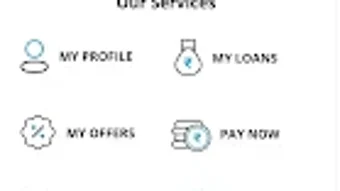
The user interface of BSS Shakti appears to be structured around core financial functions, prioritizing clarity and ease of navigation. Based on its purpose and category, the app likely employs a dashboard layout with quick-access buttons for savings, loans, and transaction history. Navigation is expected to be linear and intuitive, minimizing the number of steps required to perform common tasks such as recording a deposit or checking a loan balance.
The workflow is designed to support users with minimal technical experience, suggesting the use of icons, clear labels, and minimal text input. However, exact UI details such as color schemes, layout structure, or interaction patterns were not provided. Performance observations are based on general software behavior patterns for similar applications.
The app has a file size of 20.1 MB, which suggests a lightweight footprint, potentially contributing to efficient operation on lower-end devices. The developer did not specify resource usage details, so CPU and RAM behavior remain unknown. Stability is assumed to be adequate for its intended use, but no formal testing data or crash reports were made available.
Users may experience delays during data synchronization, especially in areas with poor network connectivity, though this is typical for mobile financial apps.
Compatibility & System Requirements
BSS Shakti is designed to run on Android 13.0 and above, ensuring compatibility with recent mobile devices. The application is exclusively available for Android platforms and does not support other operating systems. The current version is 1.1.0, and the file size is 20.1 MB, indicating a compact installation footprint.
The developer did not provide additional system requirements such as minimum RAM, processor specifications, or storage space beyond the file size. Compatibility information was partially provided, with no mention of device manufacturers, screen resolutions, or supported Android versions below 13.0. Users should ensure their device meets the minimum Android version requirement to install and run the app.
The app is available only in English, which may impact usability for non-English speakers. For users with older Android versions, an upgrade may be necessary to access the latest features and security updates.
Pros and Cons
Pros
- Free to download and use, reducing financial barriers for low-income users
- Lightweight installation at 20.1 MB, suitable for devices with limited storage
- Designed for microfinance users in underserved communities
- Supports offline functionality for transaction logging
- Available on Android 13.0 and above, ensuring modern device compatibility
Cons
- Only available in English, limiting accessibility for non-English speakers
- No information on system requirements beyond Android 13.0
- Unsupported on older Android versions, potentially excluding some users
- No details on security protocols or data encryption methods
- App has not been tested by Softonic, so real-world performance is unverified
FAQ Section
Is BSS Shakti available for free?
Yes, BSS Shakti is a free application for Android users. There are no subscription fees or in-app purchase requirements for basic functionality.
What operating systems does BSS Shakti support?
BSS Shakti is designed to run on Android 13.0 and above. It is not compatible with older versions of the Android operating system.
Can I use BSS Shakti offline?
Yes, the app supports offline functionality, allowing users to record transactions and access saved data without an internet connection.
Is BSS Shakti safe to download and use?
As a free app published on Softonic, BSS Shakti is available through a trusted platform. However, the developer did not provide detailed security information, so users should exercise caution when entering sensitive financial data.
Does BSS Shakti offer updates?
Yes, the current version is 1.1.0. Updates are likely released by the developer to improve functionality, fix bugs, and enhance security. Users are encouraged to keep the app updated for optimal performance.
Final Thoughts + CTA
BSS Shakti presents a promising tool for individuals and small enterprises seeking accessible financial management solutions through mobile technology. Its focus on microfinance and financial inclusion aligns with global efforts to expand digital banking access to underserved populations. The app’s lightweight design, offline capabilities, and free availability make it a practical choice for users with limited resources.
While the lack of multilingual support and detailed system requirements may pose challenges for some, the core functionality remains relevant and useful. The absence of verified performance data and security disclosures means users should remain cautious when handling sensitive information. Nevertheless, for its target audience, BSS Shakti offers a straightforward and accessible way to manage savings, loans, and transactions.
Download BSS Shakti now to take advantage of a secure, free, and practical finance tool for Android users.






.png)
